Web systems built
to fit how you work
From ERP, CRM, admin panels and dashboards to workflow automation — we design and build around the way your company actually works.
Turn work scattered across spreadsheets and messengers into one web system.
- ERP
- CRM
- Admin Panel
- Dashboard
- Automation
- AI Add-on
Still managing all of this in spreadsheets and chat?
As a company grows, work gets more complex — but information scattered across spreadsheets, messengers, email and paper becomes harder to manage. CQDS organizes recurring work into web systems so you can manage it faster and more accurately.
Organize scattered work into a system, and both time and mistakes shrink.
We build the work systems you need, made to fit
We design and build ERP, CRM, admin panels and dashboards around your workflow — starting from the core features you need and expanding step by step.
- Clients
- Quote · Order
- Payables/Receivables
- Collections
- Project P&L
- Role-based menus
- Customer info
- Consultation log
- Contract status
- Alerts & follow-up
- Per-customer reports
- Owner assignment
- Members
- Products·Content
- Orders·Inquiries
- Settlement
- Notices
- Stats dashboard
- Sales dashboard
- Progress board
- Monthly auto-reports
- Excel upload·analysis
- PDF export
- Fix·add features
- UI/UX
- Performance
- DB structure
- External APIs
- Deployment
- AI summaries
- Internal doc search
- Auto report writing
- Conversation analysis
- Quality data analysis
- NCR·QMS automation
Systems we can build for you
From work management to ERP/CRM, operator systems and data/AI extensions — built in the form your company needs.
- ✓Internal work requests
- ✓Project management
- ✓Progress tracking
- ✓Owner assignment
- ✓Approval flow
- ✓Quote·Ordering
- ✓Inventory
- ✓Payables/Receivables
- ✓Collections·Settlement
- ✓Clients
- ✓Customer management
- ✓Consultation·Contracts
- ✓Care reports
- ✓Booking·Visits
- ✓Alerts
- ✓Admin·Back-office
- ✓Content management
- ✓Members
- ✓Orders
- ✓Inquiries
- ✓Dashboards·Stats
- ✓Report automation
- ✓Excel upload
- ✓Data cleanup
- ✓Visualization
- ✓AI chatbot·search
- ✓AI report writing
- ✓AI document review
- ✓AI data analysis
- ✓Mfg. quality AI
Why CQDS?
We don't just build screens — we design the workflow and data structure together so the system actually runs in production.
- 01
We understand the work and structure it
Not just screens — we map your current workflow and design the data structure and management model with you.
- 02
We build the essentials first, fast
Rather than a huge system up front, we build the core you'll actually use as an MVP, then expand step by step.
- 03
Web, DB, admin and deployment in one
Frontend, backend, database, server deployment and operational improvements — handled end to end.
- 04
We build around your way of working
Instead of forcing your work into off-the-shelf tools, we design the system around your real workflow.
- 05
Extendable with AI when needed
After the base system, we can add report automation, document analysis, data search and AI agent features.
Project Cases
Through real projects and hands-on sample builds, we show our capability to build ERP, CRM, admin panels, dashboards and workflow automation.
- Clients·Quotes
- Order·Purchase
- Production
- Payables/Receivables
- Collections
- Project P&L
- Unified inquiries
- Customer history
- Quotes·Booking
- Contract·Alerts
- Duplicate merge
- Dashboard·Search
- Customer info
- Service history
- Report writing
- PDF export
- Send history
- Admin panel
- Inquiry intake
- Quote status
- Response log
- Owner notes
- Alerts
- Admin panel
- Data collection·cleanup
- Define analysis points
- Auto report generation
- Dashboard view
- Instant trend reading
- NCR natural-language search
- Defect description feedback
- Corrective action suggestions
- Countermeasure analysis
- Quality report automation
- iOS app operation
- App Store release
- Privacy policy management
- User feedback
- Maintenance
More cases coming
Work systems and automation cases across more industries will be added.
Lead Developer Experience
The items below are not direct CQDS contracts — they are projects the lead developer participated in during prior work or collaboration. Scope is stated honestly based on actual implementation involvement.
Energy Trading Web Platform — Frontend
Participated in frontend development for a B2B web platform handling energy trading operations. Experience building web UI where users do real work — trade status, data entry and operations screens.
- Frontend dev
- Trade status screens
- Data entry screens
- Operations UI
- Dashboard UI
Public Data Portal — UI Development
Participated in developing web portal screens for searching and visualizing public data. Experience building data-driven web UI — search, filters, statistics screens and dashboards.
- Data search
- Search·Filter
- Statistics screens
- Dashboard UI
- Visualization
Brand·Event Website — UI Development
Participated in developing website screens for brand promotion, events and content. Experience building responsive UI, interactions and content-focused pages.
- Responsive UI
- Event pages
- Content pages
- Interaction
- Web publishing
Demos you can try yourself
Explore working ERP and CRM demos directly. Role-based menus, input/list screens and approval flows are implemented as real work systems.
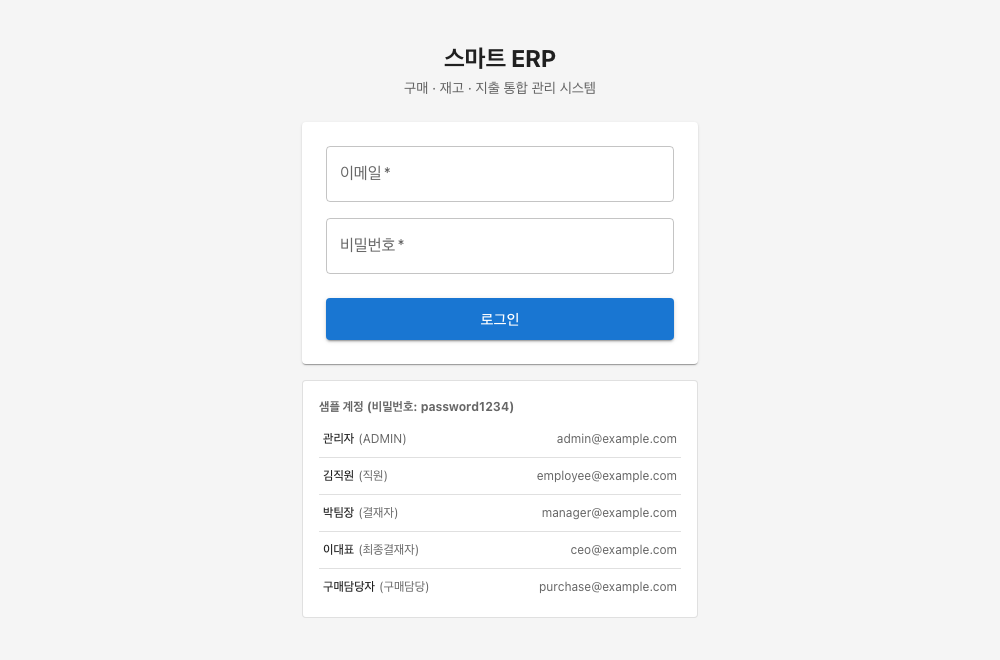
Smart ERP
An integrated ERP that manages purchasing, inventory and spending in one place, including role-based approvals.
- Purchasing
- Inventory
- Spending
- Approvals
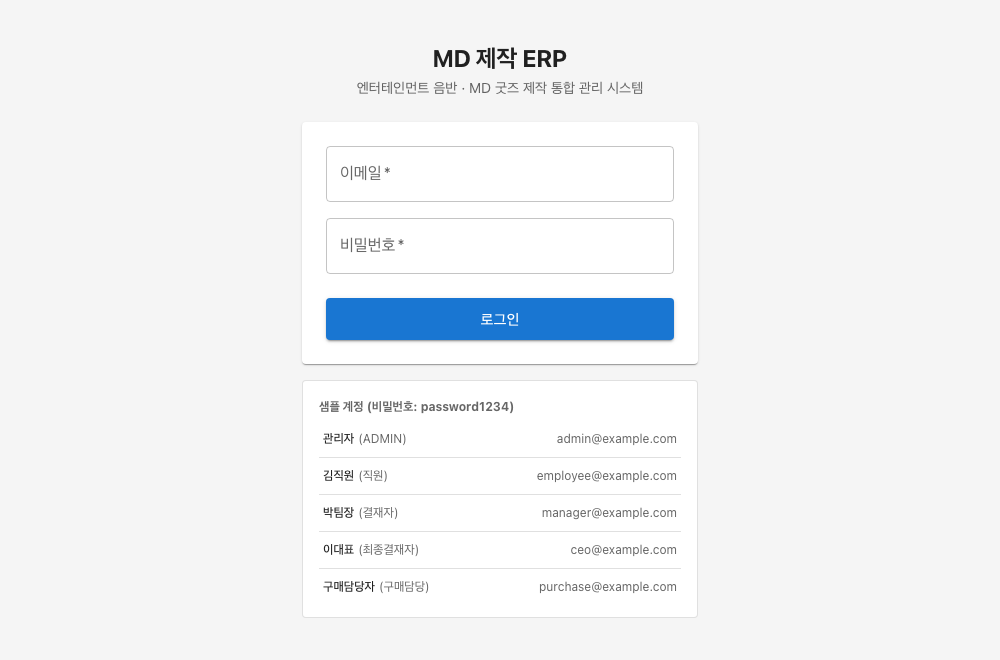
MD Production ERP
A custom ERP managing the production of entertainment albums and MD goods — an example of industry-specific screens.
- Production request
- Process mgmt
- Order·Receiving
- Industry fit
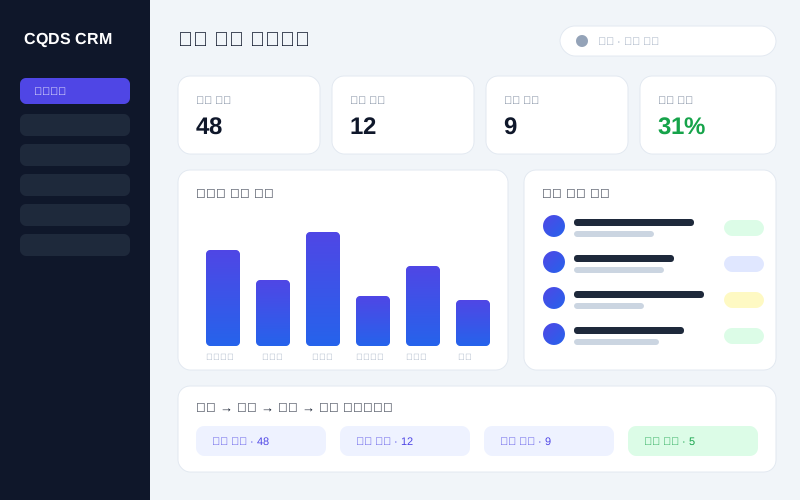
Integrated Customer CRM
An integrated inquiry, reservation, quote and contract CRM for small businesses. It gathers inquiries from website, email, phone, Kakao, NaverTalk and Instagram in one place and manages everything from customer history to contract conversion.
- Unified inquiries
- Booking·Quotes
- Contract·Alerts
- Duplicate merge
- Dashboard·Search
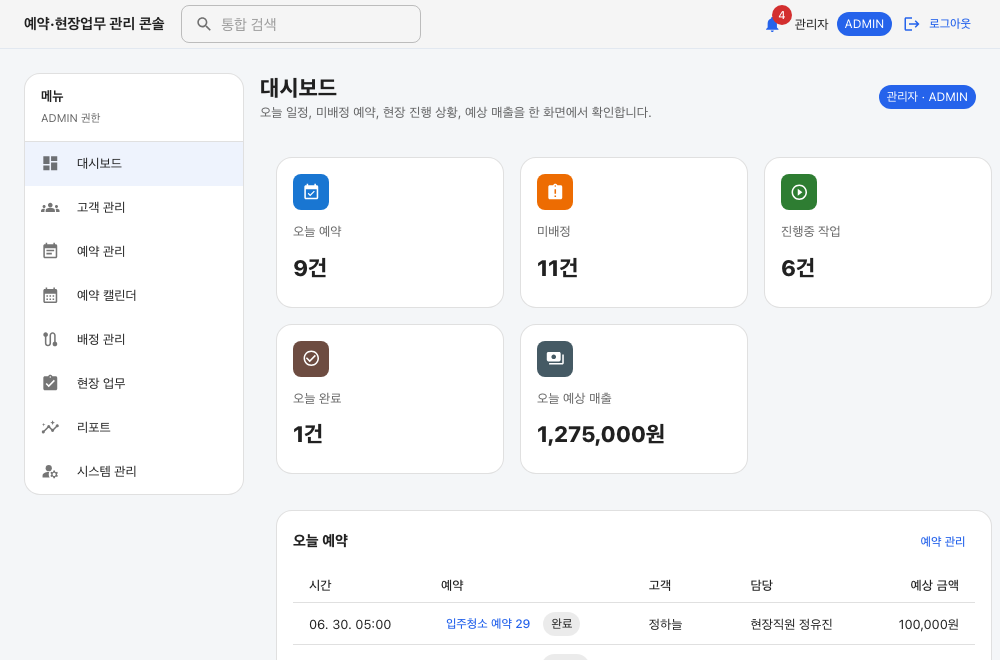
Field Service Ops
A field-service ops demo covering the full flow — from reservations and scheduling/dispatch to work orders and completion reports with photo attachments.
- Reservations
- Scheduling·Dispatch
- Work orders
- Field reports
- Photo attachments
ⓘ Demos open in a new window due to security policy. Sign in with the sample account shown on the site and explore freely.
How We Work
From consultation to deployment and operation — progressing step by step while reviewing interim results.
Estimated pricing & timeline
These are typical starting ranges. In an initial consultation we propose building the essential features first.
- Simple admin panelfrom ₩1M
- CRM / operations MVPfrom ₩2M
- ERP / composite systemfrom ₩3M
- Improving an existing systemscoped after review
- AI automation featuresscoped after review
- Simple admin panel1–2 weeks
- Operations / CRM MVP2–4 weeks
- ERP / composite system4+ weeks
- Improving an existing systemafter diagnosis
ⓘ These are typical starting ranges. The exact quote depends on feature scope, data structure, external integrations and design level.
Extend with AI when you need it
Beyond general web systems, CQDS can extend with AI features that use your business data. Start with a base system like ERP, CRM or an admin panel, then add AI search, document analysis, auto-reports and data insights as needed.
Talk about AI- ✦Internal doc AI search
- ✦Inquiry summarization
- ✦Consultation analysis
- ✦Auto report generation
- ✦Data insight extraction
- ✦Manufacturing NCR analysis
- ✦Quality AI agent
- ✦Countermeasure review automation
About CQDS
CQDS designs and builds web-based work systems. We organize work scattered across spreadsheets, messengers and paper into web systems in the form of ERP, CRM, admin panels and dashboards.
Rather than just making good-looking screens, we focus on understanding the real workflow and data structure and implementing systems that actually run in operation.
View Lead Developer Portfolio ↗- ✓Custom web system development
- ✓ERP / CRM / admin panel development
- ✓Database design
- ✓Dashboards / report automation
- ✓API integration
- ✓Server deployment & operation
- ✓AI agent / AI automation extension
Let's talk about your project
If you need an ERP, CRM, admin panel, dashboard or workflow automation system, reach out anytime. We'll review feasibility and direction based on your current workflow and required features.
Start a Project Inquirymjkl7896@cqds.dev
We reply within 24 hours